
We are a Knoxville Website Design and Digital Marketing Agency
Our process harnesses the power of the Internet to grow your business! We build beautiful websites, deliver effective and relevant marketing, and we back it all up with fanatical support!
A different kind of Knoxville Website Design Agency.
Laymance Technologies, a Knoxville website design and digital marketing agency, isn’t your typical design firm. Over years of service we have developed a process that helps grow businesses using the power of the Internet. Unlike other agencies, we roll out the red carpet for all of our clients, no matter what size their business is. And quite frankly, our methods and processes will give your business an unfair advantage!
If you are in need of a new website, website redesign, custom programming services or web hosting, we would absolutely love the opportunity to earn your business. Click here for a free quote!
KNOXVILLE WEB DESIGN CLIENTS







Web Design
Designing a great website requires more than making things look “pretty”… an effective website converts visitors and grows your business. We specialize in high conversion websites!

Web Development
Sometimes off the shelf just doesn’t fit and you need something built to your specifications… from custom WordPress plugins to fully custom e-commerce and shopping cart systems, we deliver results every time.

SEO & Marketing
If you build it, they will come… not exactly. What good is a website if it can’t be found? We can help you put your site, and business, on the map, which means more leads and sales!

Server & Website Security
Don’t let a hacker ruin your good name! We have 20 years of experience in securing websites and Linux web servers. Let us develop and implement a security plan today!
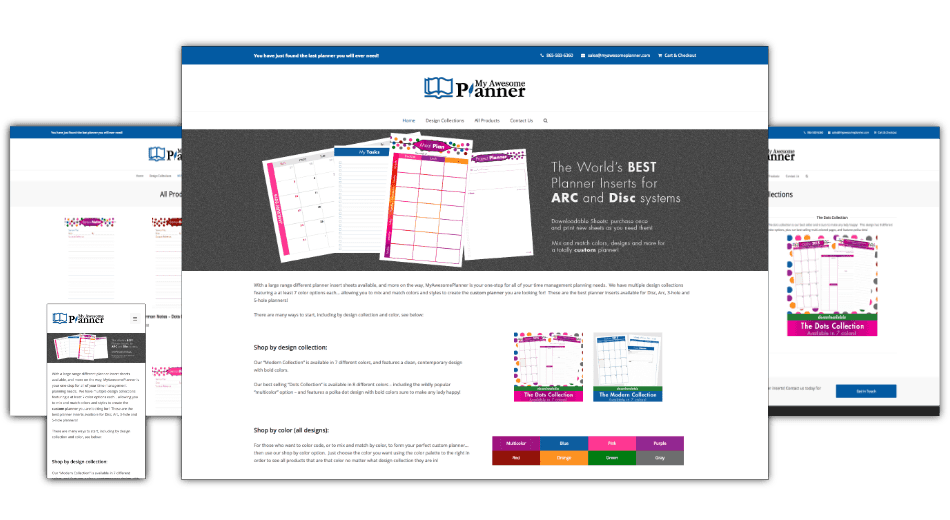
AN EXAMPLE OF OUR WORK
TESTIMONIALS
Rick took over the project and started rolling out changes to my site, making more real changes in one month than my previous “developer” did in six months! I can’t recommend him enough, I won’t use anyone else but Laymance Technologies on all of my projects!